Start with the task
Start with a goal, useful background and clear limits. The operator sets the direction; the lead agent decides which specialists can help.
02 / Artificial intelligence
An AI workforce
for any operation.
ZIGUS brings a team of specialist AI agents into one console. It began as the way Mike runs Black Orchid’s own operations, and it is being built so people and organizations in any field can hand whole roles to AI specialists and keep the final say.
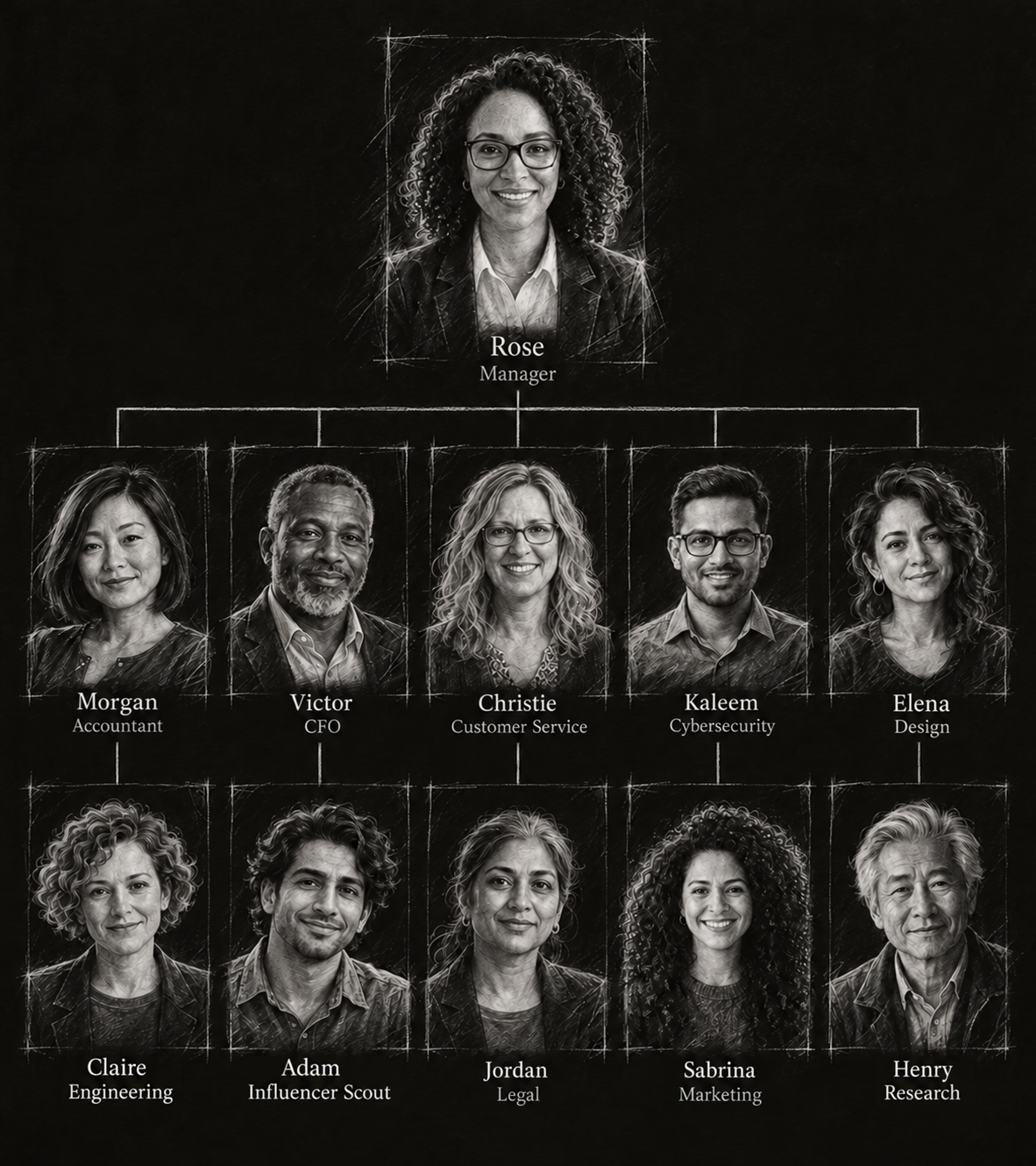
ZIGUS began as a way to help run Black Orchid’s ventures. It gives each task a clear goal, brings in the right specialists and keeps their work together so Mike can follow it and review the result.
A lead agent coordinates the team and brings their contributions together. Design, engineering, research, marketing, customer service, systems operations and cybersecurity each have a role. A person stays in control of sensitive decisions.
The interaction matters, too. Live avatars, voice and hand gestures are central to the experience Mike is building. Gesture controls are already part of the current build. The aim is to let people speak with a visible team, delegate responsibilities and follow the work as agents coordinate.
Further ahead, Mike wants to bring that team into an augmented-reality workspace, with agents in front of the user and voice and hand gestures for interaction. The mission is to make a keyboard and mouse unnecessary. Augmented reality remains future work.
ZIGUS is still in development, and it will have its own site at zigus.ai. A public service or subscription is not being announced here.
Start with a goal, useful background and clear limits. The operator sets the direction; the lead agent decides which specialists can help.
Several specialists can work at the same time on separate parts of a task. If a specialist delegates further, those deeper steps run one at a time.
Agents can work with files, browser pages and connected services. What they can use depends on the tools installed and configured for that workspace.
Some actions need approval before they can run. The operator sees what is proposed and can review it while the action stays on hold.
Files and specialist responses stay with the work. The activity log shows what was requested, the tools used, the time taken and the cost, so the operator can look back and see what happened.
Each specialist has a clear focus. Reusable skills give them methods for particular tasks, and the lead agent brings the results together.
Agents can open pages, switch between browser sessions, read page content and capture evidence. Browser actions that need approval keep that checkpoint.
Browse files and preview the results before deciding what to do next. Saved outputs remain available after the conversation ends.
Create routines for repeat work, trigger them when needed and review the results. Schedules can be paused and resumed.
Memory is reviewed deliberately. Permission to save it, a review queue and backups help the operator choose what stays with the workspace.
The working method follows a repeatable cycle: set the brief, involve specialists, build, review, fix and test again. Clear responsibilities and evidence help the operator understand how the result was reached.
Independent reviews bring different perspectives to the work. The operator still checks the result and decides what happens next.
Current internal tooling
The internal build brings together specialist agents, approvals, files, browser tools, schedules, memory and an activity history. Available connections depend on how the workspace is set up.
Future product work
Offering ZIGUS as a standalone product still requires work on accounts, setup, connecting services, a desktop app, licensing and billing. Another goal is to let an operator restart interrupted work from a saved point, with control over when it resumes.
Saved files and activity history show what happened. They do not yet let an interrupted task pick up exactly where it stopped.
The direction is industry packs: the same console set up for different fields, each with its own team, approval rules and wording. Personal and family work comes first, then teams and business operations, education, and staff-side support in healthcare, where a clinician signs off and the agents never diagnose.